
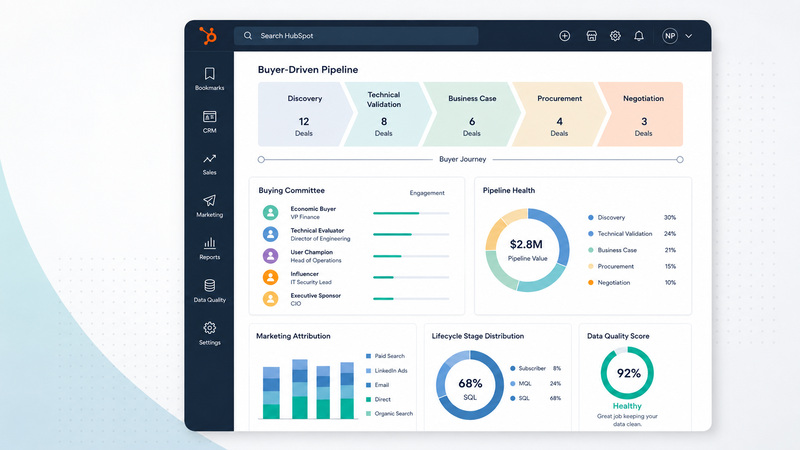

Most HubSpot portals are configured for short-cycle sales. Most B2B companies don't run short-cycle sales. That gap is where pipeline visibility quietly breaks.
If you sell a technical product to a buying committee of four people over nine months, the default HubSpot setup will produce reports that look fine but lead to wrong decisions. Lifecycle stages flatter the data. Lead scoring promotes researchers. Attribution credits the wrong channel. Sales stops trusting the numbers, and after a quarter or two, you stop trusting them too.
This is a guide to what a HubSpot setup for B2B should actually look like when the buying motion is long, technical, and multi-stakeholder. Read it with your portal open in another tab.
1. The default problem
HubSpot's defaults are not bad. They are just not opinionated about your sales motion. They assume a contact lands on your site, fills out a form, gets scored, moves through a fairly linear pipeline, and either buys or doesn't within something close to a single quarter.
That assumption fits SaaS with a self-serve trial. It does not fit a 200-person industrial manufacturer with a 9-month cycle, four technical stakeholders, and a procurement gate at month six. The research backs this up.
Gartner finds that B2B buying groups now span as many as five to sixteen people across multiple functions, with 74 percent of those groups hitting real internal conflict before they reach a decision. Cycle length tracks the same way: the average B2B sales cycle has stretched to roughly 6.5 months and keeps lengthening, and complex deals run far past that. We see it in the industrial programs we run, where a single deal can take nine to eighteen months across five to eleven stakeholders.
Inherit the defaults, and you inherit the wrong model of how your customers actually buy. Agriculture companies hit the same mismatch, often made worse by seasonal buying windows. Everything downstream gets distorted by that mismatch: lifecycle counts, MQL volume, source attribution, and win-rate by channel.
Fixing this is not a HubSpot problem. It is a definitions and governance problem that HubSpot is flexible enough to support.
2. Lifecycle stages that reflect real B2B buying
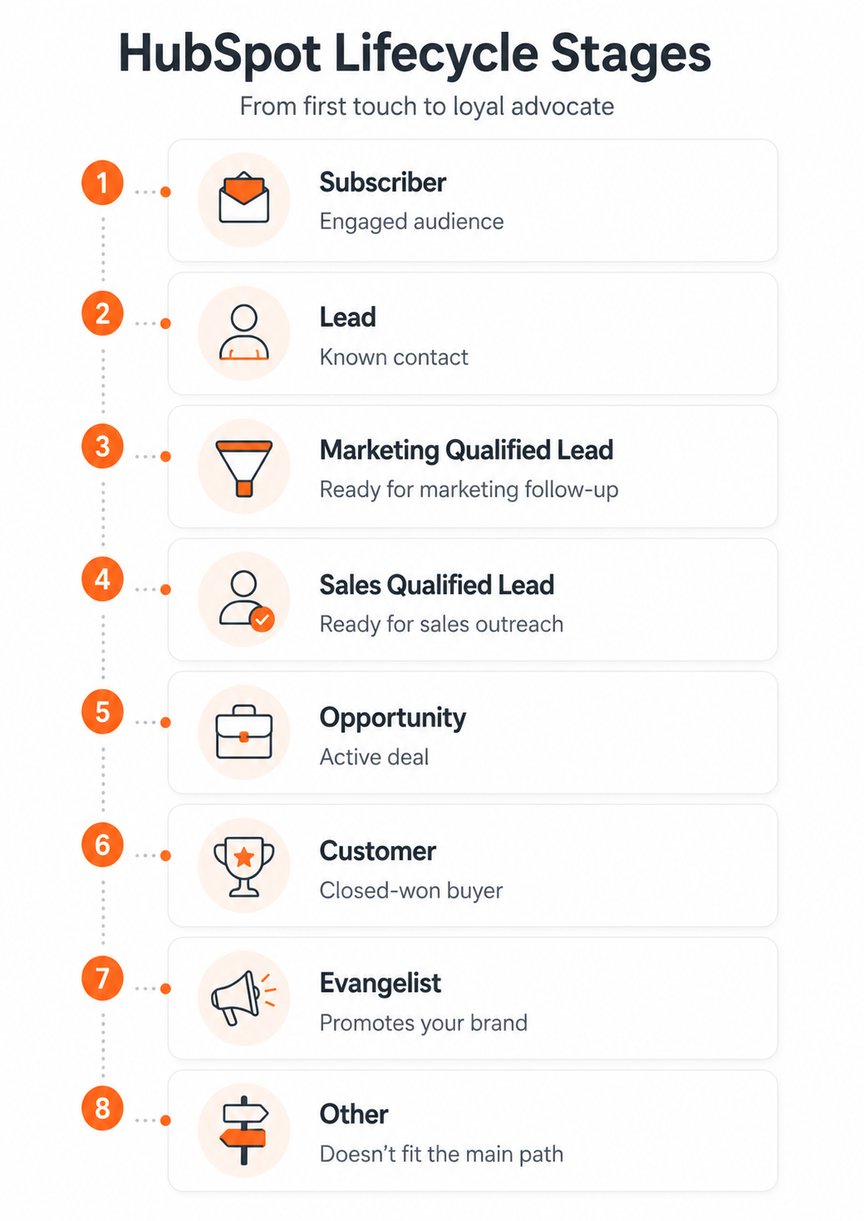
The default lifecycle (Subscriber, Lead, MQL, SQL, Opportunity, Customer) is fine as a skeleton. The problem is that most teams never define what each stage means inside their actual business. MQL becomes "anyone who downloaded something."
SQL becomes "anyone marketing thought looked good." Opportunity becomes "a deal a rep opened in HubSpot," though this sometimes doesn't align with reality.
For a complex B2B motion, three definitions need to be written down, agreed on with sales, and enforced in the portal:
- MQL = ICP fit (role, company size, sector) AND engagement (specific high-intent actions, not any form fill) AND a timing signal (recent activity, trigger event, or sales-relevant intent).
- SQL = sales has accepted the lead, taken a meeting, and confirmed there is a real buying conversation worth pursuing. Not a marketing trigger; a sales decision.
- Opportunity = an owned deal in the pipeline with a real buying process attached. No deal record, no opportunity, regardless of how warm the contact looks.
When these are vague, your reports work but you cannot defend them. When they are explicit, MQL count starts to mean something, and sales stops arguing with marketing about handoff quality.
3. Deal stages mapped to actual buying behavior
HubSpot's default deal stages (Appointment Scheduled, Qualified to Buy, Presentation Scheduled, Decision Maker Bought-In, Contract Sent) describe what your sales rep is doing. They do not describe what your buyer is doing.
That's the wrong axis for complex B2B. A buyer can sit on "Presentation Scheduled" for three months while a technical evaluation drags on. A buyer can be "Decision Maker Bought-In" while the integration team kills the deal in week eight. Vendor-centric stages hide the real bottleneck.
Replace them with buyer-driven stages, each with explicit entry criteria sales has signed off on:
- Discovery Complete
- Technical Validation in Progress
- Technical Validation Complete
- Business Case Aligned
- Procurement Engaged
- Negotiation
- Closed Won / Closed Lost
Then enforce stage rules. HubSpot pipeline rules can restrict stage skipping, prevent silent backward movement, and surface stage-by-stage dwell time. The test is simple: if you cannot define what must be true to move a deal to the next stage, the stage is decoration, not data. Getting sales to agree on and hold to explicit entry criteria is where most of the value is, and where most teams stall.
4. Properties that capture technical buyer signals
Standard contact properties show a contact's job title and the form they filled out. They do not tell you whether the deal will close. For complex B2B, you need a small set of structured fields that capture the things that actually stop deals:
- Buying role (technical evaluator, economic buyer, champion, blocker, end user)
- Technical evaluation status (not started, in progress, passed, failed)
- Integration requirement level (standard, moderate, custom build)
- Compliance or regulatory blocker (security review, legal review, sector certification, none)
- Committee coverage (single contact, multi-contact, full committee mapped)
- Sales rejection reason (closed picklist, not free text)
These are not nice-to-haves. They are how you answer "why is this deal stuck" without relying on a CSM's memory or a Slack thread from last month. They are also what makes pipeline reviews useful instead of theatrical.
5. Attribution that works for long cycles
This is where most B2B HubSpot portals quietly mislead their owners. Default attribution relies on first-touch or last-touch. For a 6 to 18-month buying cycle with four stakeholders, both are wrong. The first touch was a blog post six months ago. The last touch was someone typing your URL into a browser before a demo they already scheduled by phone.
Two things to fix.
First, set up multi-touch attribution properly. HubSpot supports first-interaction, linear, U-shaped, W-shaped, time-decay, and full-path models. For complex B2B, W-shaped attribution (30% first touch, 30% lead creation, 30% deal creation, 10% spread across the middle) is usually the most honest starting point.
It rewards the milestones that matter without pretending one touch did all the work. If you have clean data across the full lifecycle, HubSpot's full-path model splits credit across the four major milestones, which fits the longest and most committee-heavy deals.
Second, fix your source tracking before you trust any attribution report. Direct traffic looks like brand strength on the dashboard. In most B2B portals we audit, it is something else: lost referrers from missing tracking code, form submissions on untagged pages, vendor emails clicked from desktop apps, and internal traffic that never got filtered out.
Across our own portal and the client portals we manage, the pattern is consistent: organic search and offline referrals drive the majority of closed-won deals. Direct traffic almost never does, despite often looking large in raw volume. If your "direct" bucket is your second biggest source, that's a tracking hygiene problem, not a brand win.
Be honest about the limit, too. HubSpot attribution is good for operational direction-finding. It is not a causal model. For material budget decisions, you still need something more rigorous: a holdout test, an incrementality study, or media mix modeling. Use HubSpot attribution to ask better questions, not to settle arguments.
If you suspect your attribution is telling you a comforting story rather than a true one, that's exactly the question our HubSpot setup audit is built to answer.
6. Lead scoring that combines fit and behavior
Single-axis lead scoring fails predictably.
Behavior-only scoring promotes content downloaders, students, competitors, and people who just like your content. None of them buys. Fit-only scoring promotes good companies that have shown no interest. Sales calls them, gets nowhere, and stops trusting the score.
The fix is a two-axis model. Score fit separately from engagement, then use a matrix to decide what to do with each combination:
| Low engagement | High engagement | |
|---|---|---|
| High fit | Nurture; watch for trigger events | Highest review priority; route to sales |
| Low fit | Suppress or low-cost nurture | Human review before handoff; usually a false positive |
In HubSpot, this is now native. After the legacy lead score property was retired on August 31, 2025, the current tool supports separate fit and engagement scores, with a combined score available on Marketing Hub Enterprise, plus performance reporting that shows whether your thresholds are actually predictive. Use that reporting. If your high-score leads are not closing at a meaningfully higher rate than your medium-score leads, your scoring is decoration.
7. Sales and marketing alignment in the data
This is the cheapest fix on the list, and the one most teams skip.
- Marketing and sales share one written definition of MQL and SQL. Not "we mostly agree." Written.
- Every MQL is marked as Accepted or Rejected by a sales owner in HubSpot, with a reason code from a closed list.
- Marketing reviews the reasons for rejection weekly and feeds them back into scoring, sourcing, and content decisions.
- The handoff lives in the CRM. Not Slack. Not a shared sheet. Not someone's head.
Without this loop, marketing optimizes against a definition of "qualified" that has drifted away from what sales will actually call. You can do everything else on this list right and still produce pipeline numbers nobody believes.
8. A 30-minute audit you can run on your own portal
Open HubSpot in another tab. Answer yes or no.
- We have a written definition of MQL and SQL that sales agreed to in the last 12 months.
- Our deal stages describe what the buyer is doing, not what our sales rep is doing.
- Each deal stage has explicit entry criteria that sales can recite without checking notes.
- We have at least four custom properties capturing technical, integration, compliance, or buying-committee signals.
- Our lead scoring uses both fit and engagement, not one or the other.
- Sales marks MQLs as Accepted or Rejected with a reason code in HubSpot.
- We use multi-touch attribution (not first-touch or last-touch) for source reporting.
- Our "direct" traffic bucket is smaller than our organic search bucket.
Three or more "no" answers mean your portal is producing reports that look fine and decisions that aren't. That gap is fixable. Most of it is governance, not software.
If your HubSpot is technically working but quietly untrustworthy
That's the problem our HubSpot setup audit is built to find and fix. We've been a HubSpot Platinum Partner since 2013, working almost exclusively on complex B2B portals for manufacturers, cleantech, agritech, and technical SaaS. The audit is a working session, not a sales call. We open your portal, run a sharper version of the diagnostic above with you, and leave you with a prioritized list of fixes, whether or not you ever hire us.

 Nathan Harris


 Marko Bodiroza