

If you're running RevOps on a HubSpot instance that's more than a year old, you already know the problem. Contacts with missing job titles. Companies with outdated headcounts. Duplicate records from every trade show list you've ever imported. The stuff that makes your reporting unreliable and your sales team distrusts the system they're supposed to live in.
The answer has always been "someone needs to clean that up." And that someone never has time.
HubSpot's Breeze AI is trying to change that calculus. Not with hype - with some genuinely useful features worth understanding if you manage CRM data at any scale.
Here's what's actually in there.
What Breeze Intelligence Does (And What It Doesn't)
Breeze Intelligence is the data-enrichment layer within HubSpot. The core function: it pulls from a database of over 200 million buyer and company profiles to fill in the gaps on your existing contact and company records.
That means if you have a contact with an email address and a company name but nothing else, Breeze can enrich it with firmographic data - industry, employee count, annual revenue, HQ location, and tech stack. It syncs directly to the contact and company objects you already have. No export, no third-party integration required.
The practical payoff for RevOps: segmentation becomes more reliable. If you've been running lists based on company size and half your records have that field blank, your lists are garbage. Breeze closes that gap systematically.
A few things to set expectations on:
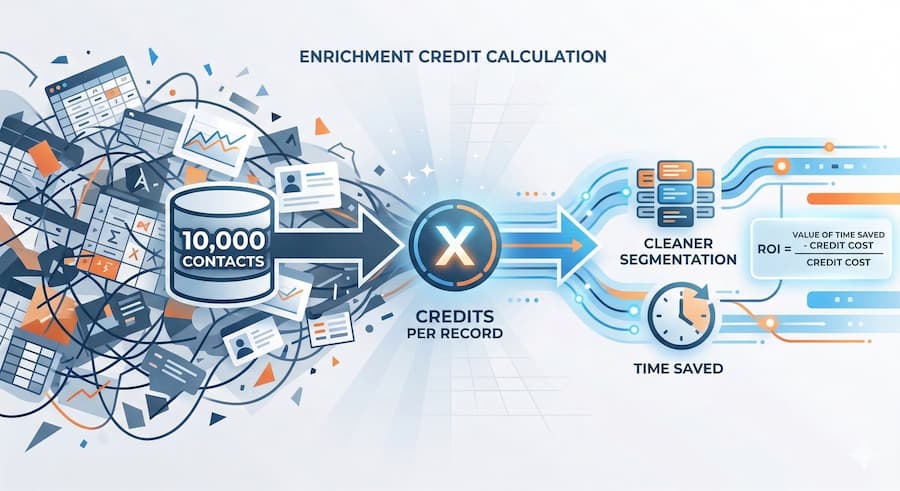
It runs on a credit system. One credit per enriched record. You pick a tier based on volume. It's not free, and if you have a large database, that math matters before you turn it on.
Enrichment isn't real-time. It updates fields on a schedule, so there's always a lag between when a company changes and when your CRM reflects it. For fast-moving accounts, that's worth knowing.
It's best used as a foundation layer, not a replacement for genuine sales intel. Breeze will tell you a company has 500 employees. It won't tell you whether the VP of Sales is actually the right person to call.
The Data Agent - Where It Gets More Interesting
The Data Agent is the Breeze feature that goes further than just filling in fields.
It can audit your CRM for duplicate records, flag incomplete associations, and surface gaps you didn't know existed. You give it a question - "which of my open deals are missing a primary contact?" or "which companies in my pipeline haven't had an activity logged in 90 days?" - and it returns an answer without you having to build a report.
For teams that have been using HubSpot for a while, this is a meaningful shift. The usual way to get that kind of analysis is a custom report, a RevOps admin with time to build it, or a consultant. The Data Agent makes it more conversational.
The deduplication piece is probably the most immediate use case for most teams. You can run a scan, get duplicates flagged in a custom view, and bulk-merge them without leaving the CRM. If you've been putting that off because the last time you did it manually, it took three days, this is worth testing.
Workflow Automation - Ask Breeze
HubSpot has had workflow automation for years. What's new is the "Ask Breeze" action inside workflows.
Instead of building a conditional logic branch for every possible scenario, you can now write a plain-language instruction - "if this contact's company has more than 100 employees and they've visited our pricing page, enroll them in the enterprise sequence" - and let Breeze interpret and execute it.
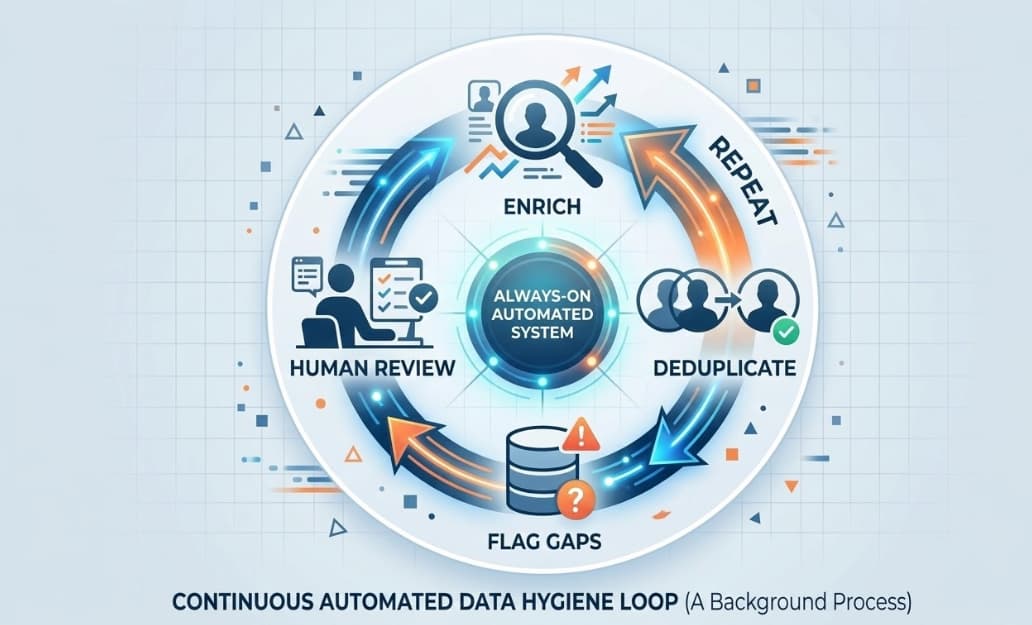
For CRM cleanup specifically, this opens up some practical options. You can build automated cleanup routines that run on a schedule: check for records with missing fields, enrich them, and flag the ones Breeze can't resolve for human review. The cleanup doesn't have to be a quarterly fire drill. It can be a background process.
This is still evolving. The "Ask Breeze" functionality is more capable in some hubs than others, and the complexity ceiling is lower than what you can build with traditional workflow logic. But for straightforward hygiene tasks, it removes a real source of friction.
Form Shortening - A Small Feature Worth Mentioning
One data quality problem that often gets ignored: the form itself.
If your forms ask for six fields and people abandon them at 40%, you're getting clean data from 60% of your leads and missing the other 40% entirely. Breeze Intelligence includes form shortening: it detects when it already knows information about the person filling out the form and automatically removes those fields. Fewer fields, higher conversion, same data completeness.
This one doesn't get as much attention because it feels like a marketing feature rather than a RevOps feature. But fewer manual entries mean fewer entry errors, and that matters for data quality downstream.
What This Actually Changes for RevOps Teams
The honest frame on all of this: Breeze doesn't eliminate the need for a data governance strategy. It reduces the manual labor required to execute one.
You still need to decide what "good data" looks like in your org. You still need to define which fields matter, what your deduplication rules are, and who owns the cleanup process. Breeze can automate the execution once those decisions are made. It can't make them for you.
But that shift - from manual execution to automated execution - is real. If your RevOps team is spending meaningful hours each month on data hygiene, these features are worth a serious look at the math.
What's a RevOps hour worth? How many hours are going to be spent on cleanup tasks that could be automated? The ROI calculation isn't complicated.
The teams that will get the most out of Breeze are the ones who've already done the hard work of defining what clean looks like. The AI executes. The strategy still has to be yours.
If you're evaluating whether Breeze Intelligence makes sense for your HubSpot instance - particularly on the enrichment credit cost vs. the value of cleaner segmentation - that's a conversation worth having with someone who's run that math before. We've done it for clients across a range of database sizes. Happy to walk through it.

 Nathan Harris
 Marko Bodiroza